Paint to Get Rich Studio Upgrades (Green Buttons)
How Cash pads expand Artist Alley—throughput first, auctions next, cosmetics last before Prestige.
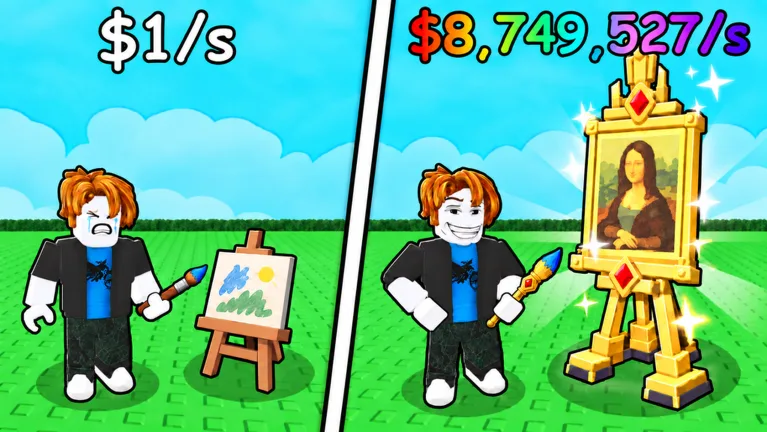
Every Cash sale in Paint to Get Rich eventually hits a green button. Those pads are the studio upgrade system: step on a lit purchase tile, spend the displayed Cash cost, and unlock the named feature—another canvas, wall, ceiling, artist, floor path, or auction access. This guide explains how upgrades work, how many there are, and how to spend without stalling Prestige.
For ranked buy order, use the companion upgrade tier list. For world context, see Artist Alley.
How green buttons work
- Earn Cash by painting, displaying, negotiating, and pressing Sell (or winning an auction).
- Walk to a green purchase pad that shows a Cash price.
- Step on it when you can afford the cost.
- The named unlock appears: more painting power, stands, pathing, artists, or cosmetics.
- Repeat. Prices climb across the roughly 33-upgrade Artist Alley path and can total several million Cash.
There is no separate “shop menu” you must memorize first—the pads themselves are the shop. Exact button labels can change with patches; always trust the live price under your feet.
Why upgrade order matters
Buyer quality and offer strength scale with studio expansion. A larger, better-equipped Artist Alley attracts stronger collectors. Spending early Cash on cosmetics or deep artist trees while you still lack stands and canvas quality pads slows Stars, sold counts, and Prestige meters.
Priority mindset
- Throughput first — canvases, stands, tools that raise appraisal potential
- Attraction next — pads that improve visitor/buyer quality
- Pathing / auction — third-floor access for five-minute premium sales
- Artists later — NPC help is weak for Prestige requirements (Players)
- Cosmetics last — wiped on Prestige anyway
Mapping upgrades to your goals
| Goal | Upgrade focus | Related page |
|---|---|---|
| Faster first Cash | Cheap canvas + stand pads | Getting Started |
| Higher Stars | Quality / tool pads | How to Sell |
| Premium payouts | Floor three / auction unlock | Auction House |
| Passive filler | Hired artist pads | Players |
| Prestige meters | Anything that raises Cash, sold, Stars efficiently | Prestige |
| Museum prep | Rebuild S-tier pads quickly after each wipe | Museum World 2 |
Prestige wipe and upgrades
Confirming Begin Prestige removes studio upgrades with the rest of the run. The lasting reward is the Cash multiplier, not the walls you bought. That means:
- Do not dump endgame cosmetics minutes before a planned reset
- Keep a mental rebuild order for the next run (S-tier pads first)
- After Fresh Canvas (Badges), rebuy pathing to auction only once income pads are back
Auction pathing versus artist pathing
Both appear as green buttons, but they serve different roles:
- Auction pathing unlocks the third-floor premium channel (~once every five minutes). Save high-Star work for that window.
- Artist pathing adds NPC painters. Useful for ambient production; poor as your only Prestige plan.
If Cash is scarce, auction access usually outranks deep artist trees. One early artist hire after stands exist is fine.
Common upgrade mistakes
- Saving for a huge pad while cheaper S-tier buttons are available
- Buying every artist before a second display stand
- Ignoring auction unlock until after multiple Prestiges
- Spending Prestige-bound Cash on cosmetics the run will erase
- Trusting Auto Buy scripts from random sites (Scripts)
- Assuming codes will fund the tree (none confirmed active as of October 2026)
Patch and weekly world note
Toasty Works ships weekly world content and retunes experiences over time. When a patch lands:
- Recheck green button prices in your server.
- Skim the Updates hub for destination changes.
- Refresh the tier list strategy if costs moved.
- Confirm Museum unlock text still matches your Prestige plan.
Practical spending loop
- Complete a paint → sell cycle.
- Look for the cheapest green pad that improves throughput or buyer quality.
- Buy it immediately if affordable.
- If a high-Star canvas is ready and auction is unlocked, wait for the five-minute window.
- Glance at Prestige meters; only then consider artist or cosmetic pads.
- Repeat until the live Prestige menu is near complete, then prep the wipe deliberately.
Related guides
- Tier List — ranked buy priority
- Artist Alley — World 1 overview
- Getting Started
- How to Sell
- Auction House
- Prestige
- Badges
- Controls Wiki
Green buttons are the skeleton of Paint to Get Rich. Feed them Cash in the right order and Artist Alley—and every Prestige rebuild after—stays fast instead of decorative and broke.
Frequently Asked Questions
Quick answers to the most common questions.
How do studio upgrades work in Paint to Get Rich?
Earn Cash, then step on green purchase buttons that show a price. Each pad unlocks the named studio feature.
How many upgrades are there?
About 33 Artist Alley upgrades totaling several million Cash. Exact labels can change—trust live pad prices.
What should I buy first?
Throughput pads: canvases, stands, and quality tools. Then buyer attraction and auction pathing. Artists and cosmetics later.
Do upgrades survive Prestige?
No. Prestige resets studio upgrades with the run. You keep a Cash multiplier and rebuild pads in the next loop.
Where is the ranked buy order?
Use the Upgrade Tier List hub for S/A/B/C priority, then confirm costs on the green buttons in your server.