Paint to Get Rich Wiki
Controls, core loop, worlds, and quick facts for the Toasty Works Roblox tycoon.
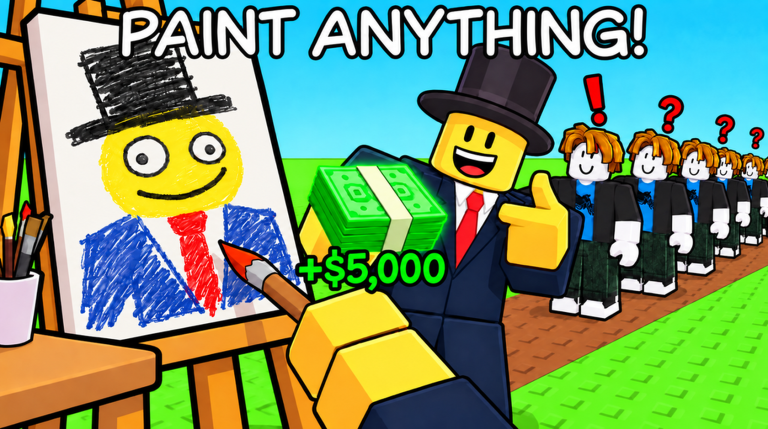
Paint to Get Rich is a Roblox tycoon by Toasty Works (created 20 August 2026). You paint canvases in your studio, earn Stars from appraisal, display pieces for buyers, negotiate Cash, and step on green upgrade buttons to expand. Prestige resets a run for a permanent Cash multiplier and progresses world unlocks such as Museum / World 2.
This page is the compact controls + systems wiki. For deep walkthroughs, use the Guides Hub.
Official play link
- Paint to Get Rich on Roblox
- Developer: Toasty Works
- Genre: Tycoon / Simulation
- Price: Free to play
PC controls
| Input | Action |
|---|---|
| WASD | Move |
| Space | Jump |
| E | Interact (stands, menus, world props) |
| Left Mouse Button | Paint on the active canvas |
Mobile and console players use on-screen sticks and tap equivalents for paint and interact. If a prompt appears above an easel or buyer, press the interact control shown in your device UI.
Core loop in one minute
- Approach a canvas and hold/paint with LMB until the piece completes.
- Let appraisal assign a grade and Stars.
- Place the work on a display stand.
- Wait for a buyer offer, then negotiate and Sell for Cash.
- Step on green upgrade buttons you can afford.
- Repeat until the left-side Prestige menu requirements fill, then decide whether to Begin Prestige.
Full beginner pacing: Getting Started. Selling detail: How to Sell Paintings.
Currencies and counters
- Cash — spent on studio upgrades; also tracked as a Prestige requirement line.
- Stars — quality signal from appraisal; Prestige needs a Stars total shown in the live menu.
- Paintings sold — separate counter from Stars; finishing negotiation increments it.
- Cash multiplier — permanent bonus kept across Prestige resets.
Never confuse Stars with Cash. A high-Star piece can still sell poorly if you skip negotiation or ignore the auction house.
Worlds
Artist Alley (World 1)
Build and expand a painting studio. About 33 upgrades can total several million Cash. Buyers and offers improve as the studio grows. Third-floor auctions run on a short cooldown (about five minutes)—save your best work.
Museum (World 2)
Advertised as W2 / The Museum. Commonly unlocked around Prestige 3. The fantasy shifts toward museum-building upgrades while Cash and Prestige language stay familiar. Read Museum / World 2 before your third reset climb.
Future weekly worlds are planned; track them on the Updates Hub.
Prestige (short rules)
Prestige is the rebirth-style system:
- Requirements: live Cash, paintings sold, and Stars totals in the Prestige menu (values change—read the panel).
- Resets: Cash, upgrades, paintings, hired artists, archive progress.
- Keeps: Cash multiplier.
- Confirm with Begin Prestige only after you accept the wipe.
Full checklist: Prestige guide.
Hired artists
You can hire NPC painters for passive canvases. They are convenient but weak for Prestige grinding. Priority advice lives on Players / hired artists and in the tier list.
Codes and scripts
- Codes — no active codes as of October 2026.
- Scripts — Auto Paint / Auto Sell / Auto Prestige claims exist; ban risk is real; this wiki never pastes exploit code.
Badges worth knowing
- Fresh Canvas — first Prestige milestone.
- Museum Bound — World 2 Museum destination.
- Curiosity Found the Cat — secret dancing cat near auction storage (light spoiler in the auction guide).
Suggested reading order
- This controls wiki
- Getting Started
- How to Sell
- Tier List
- Auction House
- Prestige
- Museum World 2
Keep terms consistent when you chat with friends: Cash, Stars, Prestige, Artist Alley, Museum, Sell, Begin Prestige. That shared vocabulary matches the menus Toasty Works ships.
Frequently Asked Questions
Quick answers to the most common questions.
What are the Paint to Get Rich PC controls?
WASD to move, Space to jump, E to interact, and left mouse button to paint on a canvas.
What is the main goal of the game?
Paint and sell artwork for Cash, upgrade your studio, then Prestige for a permanent Cash multiplier and world progression.
How do Artist Alley and the Museum differ?
Artist Alley is the starting paint studio world. The Museum is World 2, commonly unlocked around Prestige 3, with a museum-building upgrade fantasy.
Where can I find deeper guides?
Open the Guides Hub for Getting Started, selling, Prestige, auction, and Museum walkthroughs, plus the upgrade tier list.
Are there working codes?
Not as of October 2026. Check the Codes Hub after updates for any newly verified strings.